
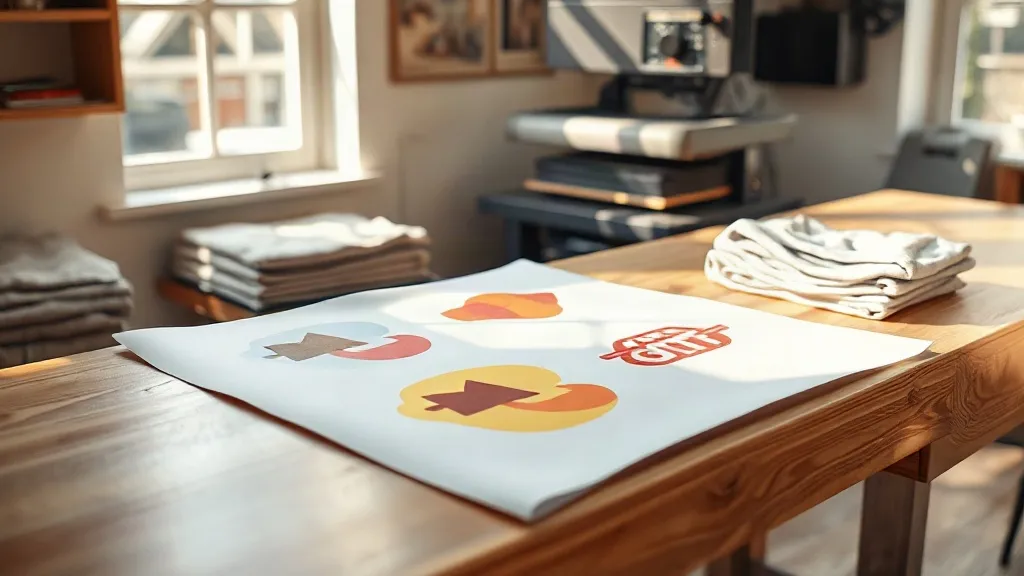
Ordering promotional apparel usually starts with good intentions and ends with a spreadsheet full of surprises. The blank costs more than expected, the print setup eats the margin, and suddenly a simple run of team shirts feels like a small construction project. The fix is rarely one big decision. It is a pair of smaller ones: choosing a blank that behaves well under heat and pressure, and arranging artwork so the printer spends less time setting up and more time pressing. That is where shaka wear blanks and a gangsheet workflow start to make practical sense together.
Why the Blank Matters More Than Most People Think
DTF transfers are forgiving, but they are not magic. A shirt with a tight, slick finish can fight the adhesive, and a loosely knit cotton can let the ink sit on top of the fibers instead of bonding into them. Shaka Wear sits in a useful middle ground for promo work: heavyweight cotton and cotton-blend tees with a smooth face, consistent stitching, and a boxy, modern cut that photographs well. For anyone handing out shirts at an event, that last point matters. A shirt that looks good in a phone photo gets worn again.
Weight is the detail worth checking first. Lighter blanks press faster and feel cooler in summer, which suits giveaways and staff uniforms in warm climates. Heavier blanks hold their shape through repeated washes, which is what you want for merchandise people actually pay for. Before committing to a full run, press a single test piece and wash it twice. If the transfer edges lift or the shirt shrinks into a crop top, you have learned something cheap instead of something expensive.
Color choices that survive a DTF press
White and light heathers are the safest starting point because the transfer's white underlayer does not have to work as hard. On black and navy, a DTF print with a proper white base still looks crisp, but very thin line work can lose a little definition. If your design depends on hairline details, run it on a mid-tone or light garment first and compare. Shaka Wear's core color range covers the usual promo needs, and sticking to a few repeated colors across a campaign also simplifies reorders later.
What a Gangsheet Actually Does for a Small Run
A gangsheet is simply a large sheet of transfer film filled with multiple designs, nested tightly to use as much of the surface as possible. Instead of paying a setup charge for each separate design, you pay for the film area. That changes the math for anyone producing a mixed batch: ten staff shirts, twenty event tees, a handful of sample pieces for a client pitch. With a DTF Gangsheet Builder, you upload artwork, drag pieces into place, and see the layout and price before ordering. No back-and-forth email thread, no guessing.
The savings come from two places. First, film waste drops when designs are nested well. Second, and often overlooked, press time drops. One sheet feeds through the cutter and press in a single pass, so a batch of thirty small chest logos takes a fraction of the handling time compared with thirty individual transfers. If you are paying someone by the hour to press shirts, that is real money.
Nesting rules that keep the price down
- Group designs by height rather than by order, so rows stay tight.
- Rotate long, narrow logos sideways when the film width allows it.
- Leave a small gutter between pieces, but not more than the cutter needs.
- Put small elements into the gaps left by large shapes instead of starting a new row.
- Keep one sheet to a single garment color family where possible, so pressing stays organized.
A common mistake is treating the gangsheet as a dumping ground for every design ever made. That produces a messy sheet with wasted corners and a pressing session that turns into a sorting puzzle. Build one sheet per job or per client, and the workflow stays clean.
A Workflow That Holds Up on a Real Deadline
Here is a sequence that works for a typical promo order, from a local sports club to a small brand drop.
- Lock the garment list first. Decide sizes, colors, and quantities before artwork. Changing shirt colors after the sheet is built means rebuilding the layout.
- Standardize print sizes. A left-chest logo and a full-back print are two different products. Group them separately so each sheet has consistent dimensions.
- Check resolution at final size. A file that looks sharp on screen can soften when printed at eleven inches wide. Vector files are safest; raster art should be at least 300 DPI at the printed size.
- Build the sheet and review the preview. Zoom in on small text. If a line of type is thinner than a hair, thicken it slightly. Transfers hold detail well, but tiny strokes can break up.
- Press a sample before the full run. Check temperature, pressure, and peel timing on one shirt. Note the settings and keep them with the order.
The sample step is the one people skip when they are in a hurry, and it is the one that saves a whole batch. Fabric finishes vary between garment styles, and a setting that works on a heavyweight tee may be too hot for a lighter blend.
Where the Cost Savings Really Come From
It is tempting to compare only the price per transfer. The fuller picture includes garment cost, film usage, labor, and reprint risk. A slightly cheaper blank that pills after three washes generates complaints and replacements, which wipes out the saving instantly. A sheet that is 15 percent empty wastes film on every single order. And a press operator who has to hunt for the right transfer in a stack of loose pieces adds minutes to every shirt.
Practical levers, in order of impact:
- Nest artwork tightly so film area per piece drops.
- Batch similar jobs onto one sheet instead of ordering separately.
- Choose blanks with consistent sizing to reduce remakes.
- Keep a small library of approved print sizes so files do not need reworking.
- Store pressed samples with their settings for future reference.
Common Mistakes and How to Avoid Them
Artwork built for screen printing
Screen print files often use spot colors and heavy trapping that DTF does not need. Convert to a clean RGB file with transparent background and remove hidden layers. A file that carries stray white boxes behind the logo will print those boxes.
Ignoring the garment's finish
Some fabrics are treated with a softener or water repellent that interferes with adhesion. If a transfer peels at the corners after pressing, a quick pre-press with a heat gun or an extra few seconds of pressing usually solves it. Test before assuming the transfer is faulty.
Skipping the wash test
One wash cycle tells you more than any specification sheet. Wash inside out, in cold water, and tumble low. If the print survives that, it will survive normal use.
Frequently Asked Questions
How many designs can fit on one DTF gangsheet?
It depends entirely on the size of each design and the film dimensions you choose. A sheet filled with small left-chest logos can hold dozens of pieces, while full-back prints may only fit a handful. The builder shows the live layout and price as you add items, so you can see the trade-off before ordering rather than estimating afterward.
Is Shaka Wear suitable for DTF printing?
Yes. Their cotton and cotton-blend tees have a smooth surface that accepts DTF transfers well, and the heavier weights hold up through repeated washing. As with any blank, press a sample first and note the temperature and pressure that works for that specific style, since fabric finishes can differ across the range.
Do I need vector files to use the gangsheet builder?
Vector files are ideal because they scale without losing sharpness, but high-resolution raster files work too. Aim for at least 300 DPI at the final print size, use a transparent background, and zoom into the preview to confirm that small text and thin lines are still clean before you submit the order.
What is the cheapest way to order mixed promo shirts?
Combine as many designs as possible onto one sheet, group them by print size, and nest them tightly. Ordering a single consolidated sheet instead of several small orders usually reduces both film cost and handling time. Keep garment colors consistent within a job to simplify pressing and reduce sorting errors.
How long do DTF prints last on a shirt?
With a correct press and normal care, a DTF transfer typically lasts as long as the garment itself. Wash inside out in cold water, avoid high dryer heat, and do not iron directly over the print. Following those habits, the print should stay flexible and keep its color through many cycles of regular wear.